Let people wait anywhere, not in a line
Customers scan a QR code at your door, get a ticket on their phone and are alerted when their turn is near. You do not need ticket machines or screens, and customers do not install an app.
- No app for customers
- No hardware to buy
- Arabic, Sorani, English
There is a free plan. Pilot terms are provisional.


How a clinic runs its day with it
A made-up example with demo data only: a small clinic with one reception desk. A barbershop works the same way, with chairs instead of rooms.
What your customers do
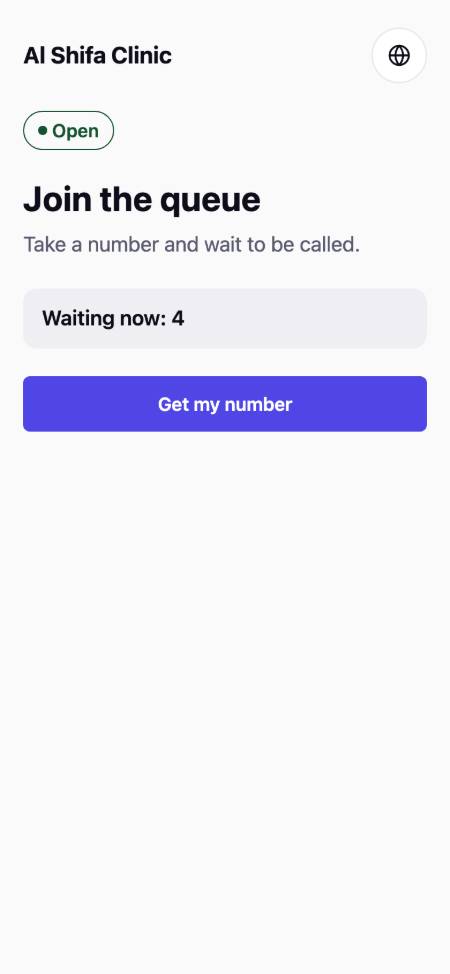
Scan
A QR code at the door opens the queue in the phone browser. No app and no account.
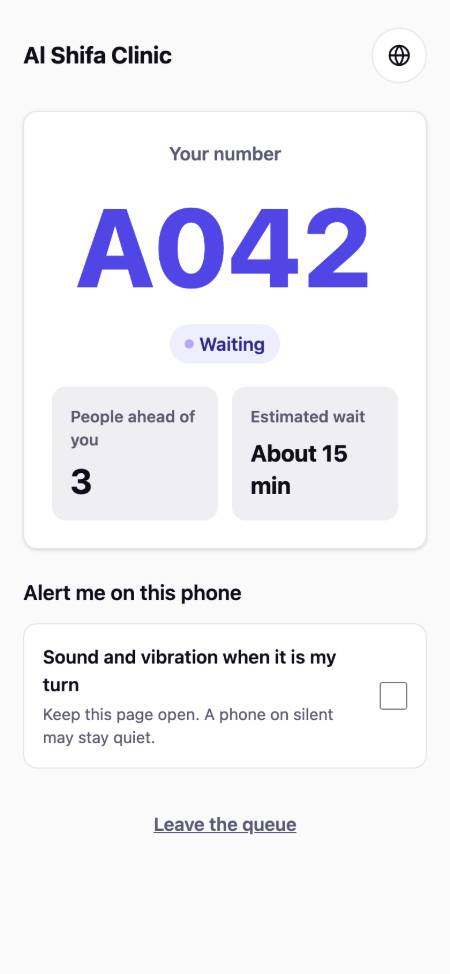
Wait anywhere
People see their place in the line. They can sit in the car, shop nearby or have a coffee.
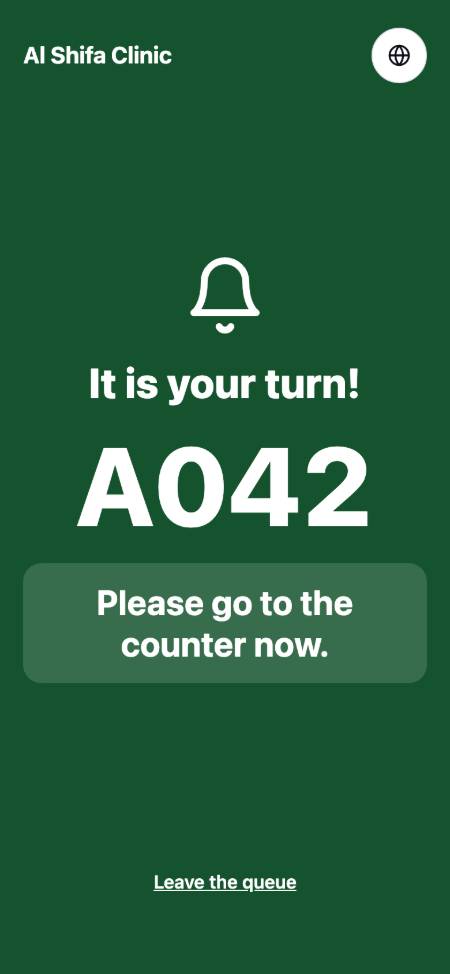
Get alerted
When the turn is near, the phone alerts them. Staff call the next number from their own phone.

What your team sees
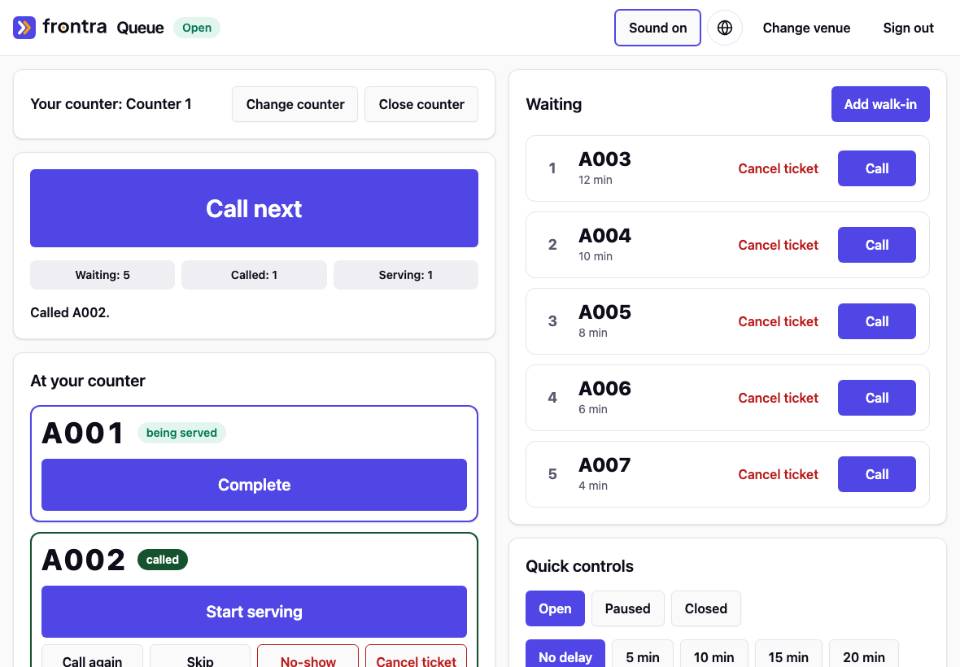
Reception calls the next number
Staff open the queue on a tablet or phone and tap Call next. People without a phone can be added by hand.
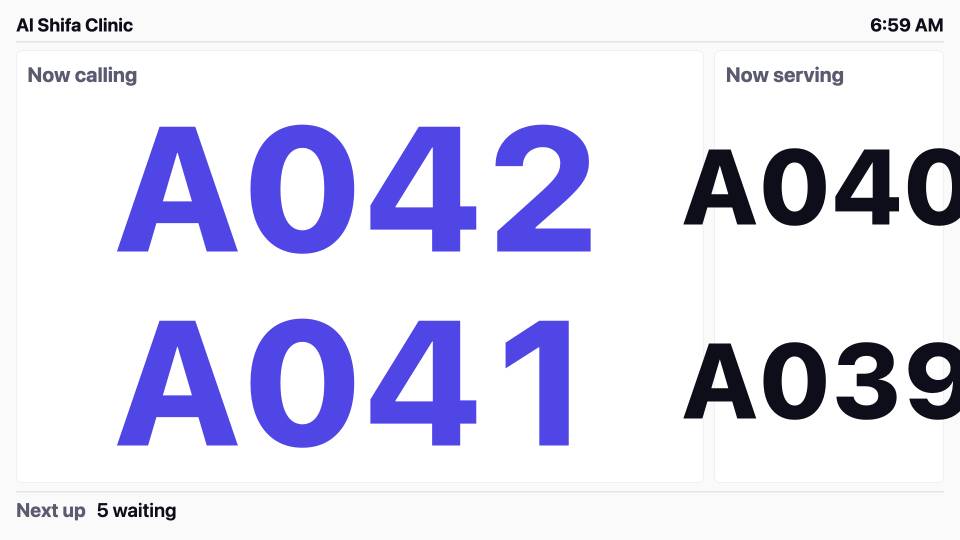
The waiting room TV shows the numbers
Any TV with a browser shows the numbers being called in large type. In clinic mode only numbers appear, never names.
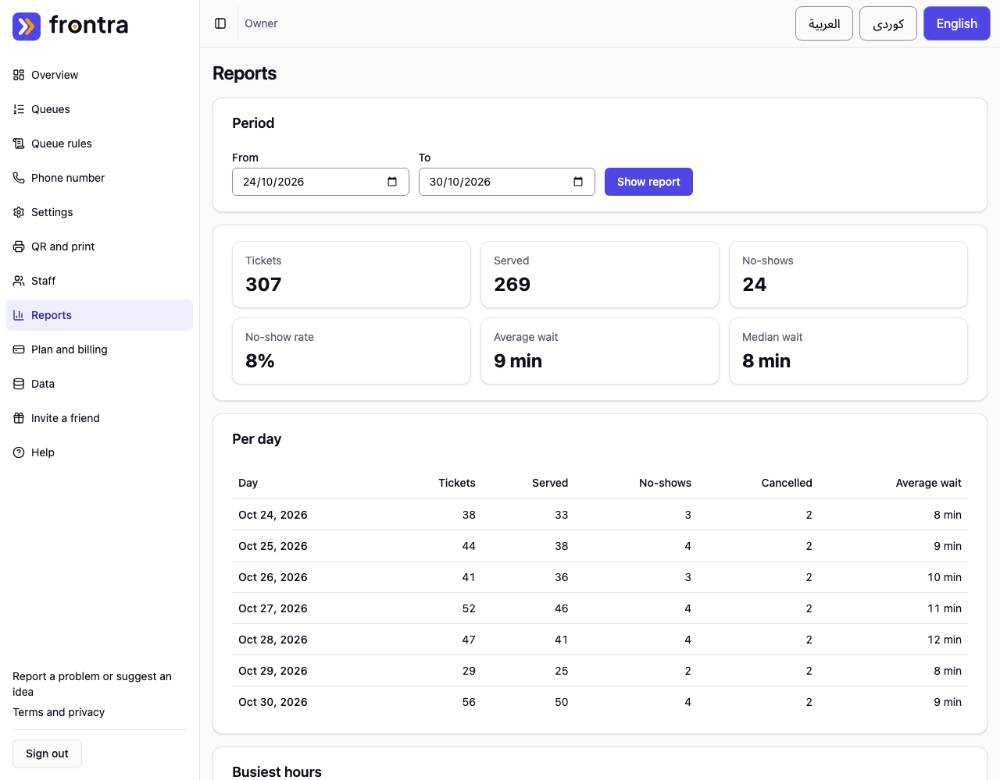
At the end of the day the owner sees the numbers
Tickets, people served, no-shows and waiting times for each day, so the owner can see when it gets busy.


The screens are from the real apps with demo data. Names and numbers are made up.
Paper tickets and shouting, or a virtual queue
Without it
- People crowd the door and the counter so they do not lose their place
- Staff shout numbers or names and some people miss their turn
- Paper tickets run out, get lost or are handed to someone else
- Nobody knows how long the wait really is, so people leave or argue
With a virtual queue
- People wait where they like and see their place on their phone
- The phone alerts them and the TV shows the number
- No paper and no machine to buy: a QR code on the door is enough
- Staff see everyone waiting, and the owner sees the day in numbers
Made for how people wait here
Three languages
Arabic, Sorani Kurdish and English, with true right-to-left pages. The Arabic and Kurdish texts are still being reviewed by native speakers.Light pages
Built to open on cheap phones and slow mobile networks, with small pages and no heavy images.Customers share little
There is no account. A name and a phone number are optional.Clinic mode
For clinics, tickets carry no health details and alerts use neutral wording.
No hardware to buy
You already have what you need: a printed QR code, a phone or tablet for staff and, if you like, any TV with a web browser.
- Print the QR stand or poster from the app
- Staff run the queue from a phone or tablet
- An optional TV display shows the numbers being called
For walk-in businesses
Each business type starts from a ready-made template that you can change.
- Restaurants and cafesKeep a waiting list without calling names across the room. Guests join from the door or the table and are alerted when theirs is nearly ready.
- Barbers and salonsWalk-in customers join from their phone and come back when a chair is free, instead of standing in the shop or keeping a paper list.
- Clinics and dentistsA calmer waiting room. Visitors wait by ticket number, and the clinic template is built to keep health details out.
- Car service and repairDrivers join from the forecourt and wait wherever they like until a bay is ready.
- Service countersAny counter where people take a number, such as a pharmacy, a money transfer office or a shop counter.
Pricing
Simple monthly plans. Start free and move up when you need more.
- Best for one venue
Starter
For one venue that wants its own look, a TV display and reports.IQD 15,000per month
$10.00
Australian dollar (AUD): Coming later
Pro
For a business with up to three branches and staff logins.IQD 35,000per month
$25.00
Australian dollar (AUD): Coming later
Business
For many branches, with priority support. Priced per branch.IQD 75,000per branch, per month
$50.00
Australian dollar (AUD): Coming later
Frequently asked questions
Short, honest answers. If yours is missing, write to us.
Do customers need to install an app?
No. They scan the QR code and the queue opens in the phone browser. There is no account to create.
What do I need to get started?
A phone number to sign in, a phone or tablet for your staff and a printed QR code. A TV display is optional.
Which languages are supported?
Arabic, Sorani Kurdish and English, for customers and for venue tools. Native speakers are still reviewing the Arabic and Kurdish texts.
How are customers alerted?
With a push notification in the phone browser. WhatsApp alerts are available where the venue has turned them on and the customer agreed. Which plans include messaging is not final.
What do you collect from customers?
A ticket number. A name and a phone number are optional. Read the privacy policy draft for details.
See it on your own phone
Open the demo queue as a customer would, or create an account and set up your first queue.